



Let’s be honest, raising kids in the digital age feels like navigating uncharted waters. We’re all trying to figure out the right balance between giving our children freedom to explore and keeping them safe online. You know that moment when your 10-year-old asks for their own phone? Yeah, we’ve been there too.
After testing dozens of parental control apps with real families (and dealing with plenty of eye rolls from tweens), we’ve narrowed down the top five that actually work. Here’s the thing: no app is perfect, but some definitely stand out from the crowd. We’re talking about Qustodio, Bark, Norton Family, and a couple more that might surprise you.
The Big Players: What We Discovered
Qustodio: The Swiss Army Knife of Parental Controls
We’ve spent months with Qustodio, and honestly? It’s impressive. This app doesn’t mess around when it comes to features. You get real-time location tracking, detailed screen time reports, and this is huge, it works across pretty much every device your kids might use.
The dashboard feels intuitive once you get the hang of it. Sure, there’s a learning curve (took us about a week to feel comfortable), but the depth of control is worth it. We particularly love how it handles YouTube monitoring, something many apps struggle with. The panic button feature for emergencies? That’s peace of mind right there.
Pricing reality check: At $54.95/year for up to 5 devices, it’s not the cheapest option. But we’re talking about comprehensive protection here. The free version exists, but let’s face it, it’s pretty limited.
Bark: The AI-Powered Guardian
Here’s where things get interesting. Bark takes a completely different approach — instead of blocking everything, it uses AI to scan for potential issues. We’re talking about cyberbullying, depression signs, inappropriate content… the works.
What really sets Bark apart? It monitors over 30 social platforms. Instagram, TikTok, Discord, you name it, Bark’s probably watching it. And before you worry about being too invasive, here’s the brilliant part: it only alerts you when there’s a potential problem. Your teen gets some privacy, you get peace of mind. Win-win, right?
The setup process… well, it can be a bit tedious. Each social platform needs individual connection, and some teens might balk at giving those permissions. But once it’s running? Pretty seamless.
Norton Family: The Household Name
We all know Norton for antivirus, but their family protection software? It’s actually solid. What we appreciate most is how it encourages conversation; kids can request access to blocked sites, and you get a notification to discuss it. That’s smart parenting tech right there.
The web supervision works great on Windows and Android. iOS users, though? You’ll hit some limitations thanks to Apple’s restrictions. The location tracking works well, and we love the school time feature that automatically adjusts settings during class hours.
One quirk: the interface feels a bit dated compared to newer apps. But you know what? It works reliably, and sometimes that’s exactly what we need.
The Underdogs Worth Considering
Net Nanny: The Profanity Police
Net Nanny might not have the flashiest marketing, but don’t overlook it. This app excels at content filtering, it can even mask profanity in real-time instead of blocking entire pages. Pretty clever, right?
We tested it with kids aged 7 to 16, and the age-based profiles really help. The younger kids get stricter filters, teens get more freedom. The Family Feed feature shows everyone’s online activity in one place, which makes family discussions about internet use surprisingly easier.
Fair warning: the user interface could use some love. It’s functional but not exactly beautiful.
Google Family Link: The Free Alternative
Okay, we need to talk about Google’s free option. If you’re on a tight budget (and who isn’t these days?), Family Link deserves serious consideration. It covers the basics brilliantly, app approvals, screen time limits, device locking.
The catch? It works best in the Google ecosystem. Got an iPhone kid and an Android parent? Things get complicated. Plus, once your child turns 13, they can choose to opt out. But for younger kids with Android devices? It’s surprisingly robust for a free tool.
Quick Comparison (TL;DR)
The Real-World Breakdown
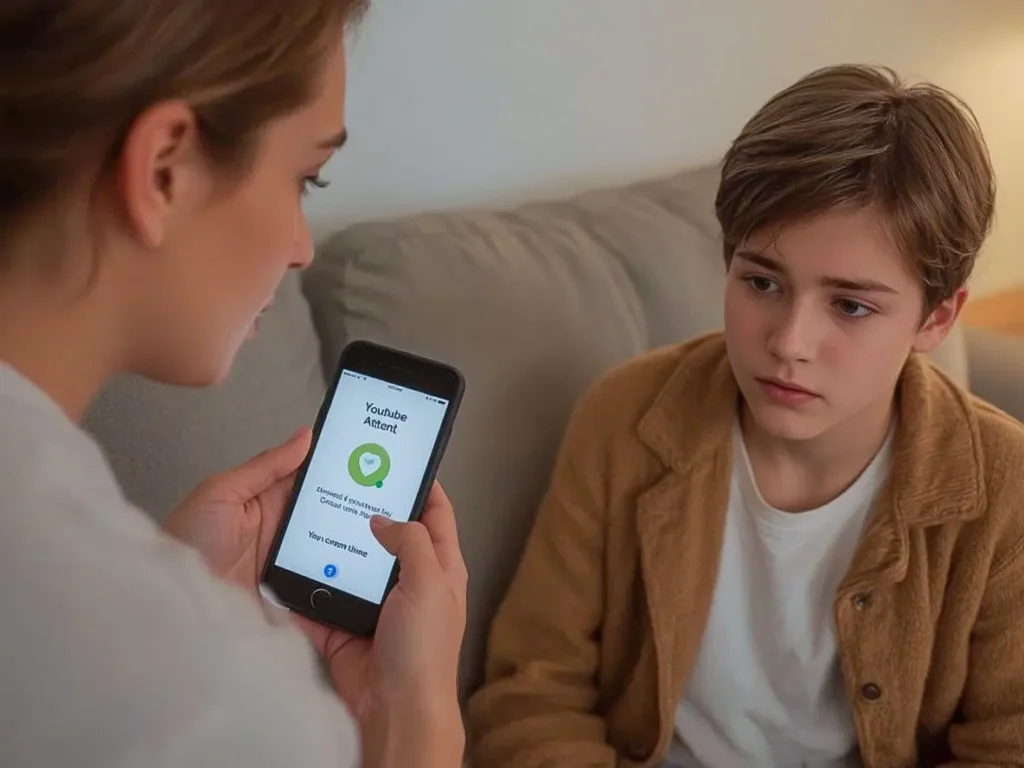
Let’s get practical. We’ve lived with these apps, dealt with the tantrums when YouTube gets blocked, and celebrated the wins when they actually prevent problems.
For comprehensive coverage: Qustodio takes the crown. Yes, it’s pricier, but the cross-platform support and detailed controls justify it for many families.
For teen monitoring without hovering: Bark is your answer. The AI detection means you’re not constantly checking in, you only hear about real concerns.
For Windows/Android families: Norton Family offers great value, especially if you already use Norton products.
For younger kids: Google Family Link or Net Nanny, depending on your budget and filtering needs.
What Nobody Tells You About Parental Controls
Here’s something we learned the hard way: no app replaces actual conversations with your kids. These tools? They’re exactly that, tools. They work best when combined with open dialogue about online safety.
We’ve also noticed that kids are remarkably creative at finding workarounds. Using a friend’s device, switching to incognito mode, creating alternate accounts… we’ve seen it all. That’s why the monitoring aspect (like Bark provides) often works better than pure blocking for older kids.
Another reality? These apps can cause family friction. We recommend being transparent about what you’re monitoring and why. Surprise surveillance rarely ends well.
Making Your Choice: What Actually Matters
After all our testing, here’s what we’ve learned matters most:
Age of your kids: Younger children need different controls than teenagers. Qustodio and Net Nanny excel with younger kids, while Bark respects teen autonomy better.
Your tech comfort level: Be honest here. Norton Family and Google Family Link are simpler to manage. Qustodio and Bark offer more features but require more setup time.
Number of devices: Got multiple kids with multiple devices? The pricing tiers become crucial. Qustodio and Norton Family offer better multi-device deals.
Platform diversity: iOS, Android, Windows, Mac, Chromebook… make sure your choice actually works on everything you need.
Conclusion: Parental Control Apps
Choosing a parental control app feels overwhelming, we get it. But here’s what we’ve learned after extensive testing: the “best” app is the one you’ll actually use consistently.
For most families, we’d suggest starting with either Qustodio (if you want maximum control) or Bark (if you prefer AI-powered monitoring). Both offer free trials, so you can test them with your actual family dynamic. Remember, these apps are meant to help, not replace, your parenting. They’re conversation starters, safety nets, and sometimes, sanity savers.
The digital world isn’t going anywhere, and neither are our concerns about keeping kids safe online. But with the right tools and approach, we can give our children the freedom to explore while maintaining reasonable boundaries. That’s what good digital parenting looks like in 2025, not perfect, but intentional.
Helpful resources
What is Digital Parenting and Why Every Parent Needs It
A simple guide to understanding digital parenting, what it means, why it matters, and how families can stay safer online.
How Much Screen Time is Too Much? Age-by-Age Breakdown
A clear, age-specific breakdown of healthy screen-time limits, with practical tips to help parents set balanced digital habits.