

Why Millions of Parents Are Asking This Question
Roblox safe for kids is one of the most common questions parents ask today. With over 380 million registered accounts and more than 88 million daily active users, Roblox has become one of the most popular gaming platforms in the world, especially among children between the ages of 6 and 16.
If your child has ever mentioned Roblox, you are definitely not alone. Like many parents, you may be wondering whether the platform is truly safe, who your child might be interacting with, and what type of content they could encounter while playing.
The good news is that Roblox can be a safe and enjoyable experience for kids when the right safety settings are enabled and parents stay involved. In this guide, we’ll explore the potential risks, the platform’s built-in protections, and the practical steps you can take to help keep your child safe online.
What Exactly Is Roblox?
Before we talk about safety, it helps to understand what Roblox actually is. A lot of parents assume it is a single game, but it is actually a platform where users can create and play millions of different user-generated games. Think of it as a massive digital playground where kids can explore virtual worlds, design their own games, and interact with other players.
Roblox uses a virtual currency called Robux, which players can earn or purchase with real money. This currency lets kids customize their avatars and unlock features inside games. The platform is free to download and available on PC, Mac, iOS, Android, and Xbox.
The target audience is primarily children and teenagers, though adults use it too. According to Roblox Corporation’s own data, roughly half of all users are under the age of 13. That mix of ages, and the open social environment, is what makes parental awareness so important.
The Real Risks Parents Should Know About
We want to be upfront with you. Roblox is not without risks. But understanding those risks clearly is the first step toward managing them. Here are the main concerns parents should be aware of.
1. Inappropriate Chat and Communication
Roblox has a chat feature that allows players to communicate with each other in real time. While the platform uses filtering technology to block offensive language and personal information, the system is not perfect. Kids can still encounter inappropriate messages, and some users find creative ways to bypass filters.
Younger children may not recognize when a conversation is heading in an unsafe direction. This is why monitoring chat activity, even occasionally, is one of the most effective things a parent can do.
2. Exposure to Inappropriate Content
Because anyone can build games on Roblox, the quality and appropriateness of content varies widely. Some user-created games include themes of violence, crude humor, or even simulated romantic scenarios that are clearly not appropriate for young children. Roblox has content moderation in place, but given the sheer volume of new games created every day, some slip through before they are flagged and removed.
3. Online Predators and Grooming
This is the risk that understandably worries parents the most. Like any platform with social features and a young user base, Roblox has been used by bad actors attempting to build inappropriate relationships with children. Cases have been reported where adults posed as children to gain a child’s trust, sometimes trying to move conversations to other, less moderated platforms like Discord or WhatsApp.
| Important: Teach your child that they should never share personal information such as their full name, school, address, phone number, or social media handles with anyone they meet on Roblox. Even if someone seems friendly and like a peer, they may not be who they say they are. |
4. In-App Purchases and Spending
Roblox’s virtual currency system can lead to unintended real-world spending. Children can sometimes make purchases without fully understanding the financial impact. There are reports of kids spending hundreds of dollars on Robux before parents realized what was happening.
The good news is that this is one of the easier risks to manage. You can set up a PIN on your payment method and use gift cards instead of linking a credit card directly to the account.
5. Scams Targeting Young Players
There is a surprisingly active world of Roblox scams. Other players, and sometimes external websites, promise free Robux or rare in-game items in exchange for account login details. Children are particularly vulnerable to these tactics because they are drawn to the promise of getting something for free.
Make it a rule in your household: legitimate Roblox rewards never require your username and password. If anyone or any website is asking for login credentials, it is a scam.
Roblox’s Built-In Safety Features
Here is something reassuring. Roblox does take safety seriously, and the platform has invested significantly in tools that help protect younger users. Let us walk you through what is already in place.
Age-Based Account Restrictions
When a child creates a Roblox account and enters their age as under 13, the platform automatically applies stricter settings. Chat is more limited, and certain types of content are filtered more aggressively. These restrictions are helpful, but they are only as effective as the age your child enters when signing up.
Parental Controls and Account Settings
Roblox has a dedicated parental controls section that allows you to set a PIN so your child cannot change their own account settings without your approval. You can restrict who can follow your child, who can message them, and who can join their games.
To access these settings, log in to your child’s account, click on the gear icon in the top right corner, go to Settings, and then look for Privacy and Security options.
Chat Filtering
The platform uses automated filtering to block the sharing of personal information like phone numbers and email addresses, as well as offensive language. For children under 13, this filtering is even more aggressive, and they can only chat with friends they have already added.
Report and Block Features
Players can report inappropriate behavior directly from within any game or from another user’s profile. Roblox says it reviews these reports and takes action, including banning accounts. Teach your child how to use these features so they feel empowered to act if something feels wrong.
| Did You Know? Roblox employs a dedicated trust and safety team and uses a combination of automated moderation and human reviewers to monitor content on the platform. They also operate a 24/7 system for reviewing urgent safety reports. |
Practical Steps Every Parent Should Take
Knowing the risks and the built-in tools is a good start. But the most effective safety net is an engaged, informed parent. Here are actionable steps you can take today.
Step 1: Set Up and Review Privacy Settings Together
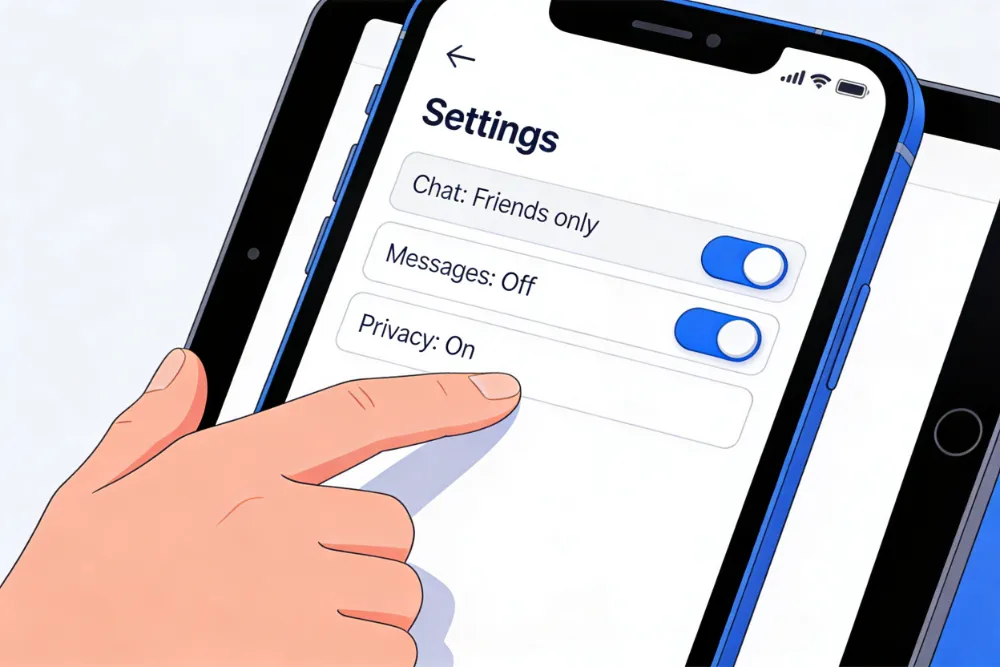
Sit down with your child and go through the privacy settings on their Roblox account together. This turns a safety task into a conversation. Explain why each setting matters and let them feel involved in the process. Go to Settings, then Privacy, and make sure the following are set appropriately for your child’s age.
- Who can message me: Set to Friends or No One for younger children
- Who can chat with me in the app: Set to Friends
- Who can chat with me in game: Set to Friends or No One
- Who can follow me to game instances: Set to Friends
- Who can see my inventory: Set to Friends or No One
Step 2: Create a Parent PIN
A PIN prevents your child from changing their own account settings without your knowledge. To set one up, go to Settings, click on Security, and follow the steps to create a 4-digit PIN. This small step can make a big difference.
Step 3: Link and Monitor the Account
Make sure a parent’s email address is linked to the account. This way, you will receive notifications about account activity and can reset the PIN if needed. Check the account email regularly for any alerts from Roblox.
Step 4: Check Which Games Your Child Is Playing
Not all Roblox games are equal. Some are completely appropriate for young children. Others are not. Spend a few minutes browsing the games your child has been playing. You can see this in their profile under the Favorites section. If you see anything that seems inappropriate, use it as a starting point for a conversation.
Step 5: Have Open, Ongoing Conversations
This might be the most important step of all. Children who feel comfortable talking to their parents about what happens online are much more likely to speak up if something goes wrong. You do not need to be alarming or restrictive. Just check in regularly with casual questions.
- Who did you play with today? Are they friends from school or people you met in the game?
- Did anything happen today that felt weird or uncomfortable?
- Did anyone ask you to move the conversation somewhere else?
- Are there any new items in your account I should know about?
Step 6: Set Screen Time Limits
Roblox is designed to be engaging, and kids can easily spend hours on the platform without realizing it. Setting clear and consistent limits on screen time is healthy. Most devices now have built-in screen time management tools. You can also use parental control apps to set daily limits on Roblox specifically.
The American Academy of Pediatrics recommends consistent limits on screen time for children over age 6, with an emphasis on ensuring that screen time does not crowd out sleep, physical activity, and other healthy behaviors.
Helpful resources
Is PBS KIDS Safe for Kids? What Parents Should Know in 2026
Wondering if PBS KIDS is safe for your child? This guide explores its content, privacy, ads, and safety features to help parents make an informed decision.
Is Roblox Right for Your Child’s Age?
Roblox is officially rated for ages 7 and up, but the experience looks very different depending on your child’s age and maturity. Here is a rough guide to help you think through whether it is the right fit.
Ages 6 to 8
At this age, children are drawn to the colorful, imaginative worlds on Roblox but are not yet equipped to manage complex social interactions with strangers. If your child is in this age group, we strongly recommend playing alongside them, disabling all chat features, and only allowing them to play games you have personally reviewed first.
Ages 9 to 12
Kids this age can enjoy Roblox more independently, but parental monitoring is still essential. Keep chat limited to friends only, check in regularly about who they are playing with, and make sure they understand basic internet safety rules. This is also a good age to start teaching them how to recognize and report suspicious behavior.
Ages 13 and Up
Teenagers have access to more features on Roblox, including broader chat options. At this stage, the goal shifts from restricting to guiding. Talk with your teen about online relationships, privacy, and what to do if something makes them uncomfortable. Trust matters, but so does staying involved.
Red Flags to Watch for in Your Child’s Behavior
Sometimes, the first sign that something is wrong shows up in your child’s behavior offline rather than online. Here are some warning signs that might suggest something concerning is happening.
- Your child becomes secretive about who they are talking to or what they are playing
- They are spending unusually long hours on Roblox and become upset when asked to stop
- You notice new usernames, apps, or platforms on their device that you did not authorize
- They seem withdrawn, anxious, or upset after using the platform
- You find references to gifts, money, or special online friendships with people you do not recognize
If you notice any of these signs, do not panic, but do take them seriously. Start with a calm, open conversation. If you are concerned about potential exploitation or grooming, contact your local authorities or report it to the National Center for Missing and Exploited Children (NCMEC).
How Roblox Compares to Other Gaming Platforms
Parents often ask us how Roblox stacks up against other popular platforms like Minecraft or Fortnite when it comes to safety. The honest answer is that all online gaming platforms carry some level of risk, and none of them replace active parental involvement.
That said, Roblox does stand out for its sheer volume of user-generated content and the young age of its user base. Minecraft, for example, allows for private server settings that can limit social exposure much more effectively. Fortnite has a larger proportion of older players but also features voice chat and competitive online play.
What makes any platform safer is the same across the board: know what your child is playing, who they are talking to, and maintain open communication about what they experience online.
Conclusion: Roblox Can Be Safe, With the Right Approach
So, is Roblox safe for kids? The answer is a careful yes, but with important conditions.
Roblox offers a creative, engaging, and genuinely fun experience for millions of children around the world. The platform has real safety features in place, and when those tools are properly configured by an informed parent, the risks are significantly reduced.
But no platform, no filter, and no parental control app replaces the conversations you have with your child about what they experience online. The parents who tell us their kids had the safest experiences on Roblox are almost always the ones who stayed involved, not necessarily by hovering, but by staying curious and keeping the lines of communication open.
Take the time today to review your child’s Roblox account settings, set up a parent PIN, and have a quick conversation about who they are playing with. It does not take long, and it makes a real difference.
If you found this guide helpful, share it with other parents in your community. The more informed we all are, the safer our kids will be online.
| Quick Action Checklist for Parents 1. Review and update privacy settings on your child’s Roblox account 2. Set up a 4-digit Parent PIN in the Security settings 3. Link your own email address to the account 4. Browse through the games your child has favorited 5. Have a calm, friendly conversation about online safety and who they play with 6. Set consistent daily screen time limits using your device settings or a parental control app |